My role
redesign the app from research and concept to design and testing
Why These Users >>
Young professionals, students, young families, small business owners, and users with multiple income sources or international revenue, Android users transitioning to iOS
Target audience
How I Will Measure Success >>
Meet user needs and expand the market by developing a user interface for an iOS application based on the existing Android application, addressing all current issues
Design task
Before
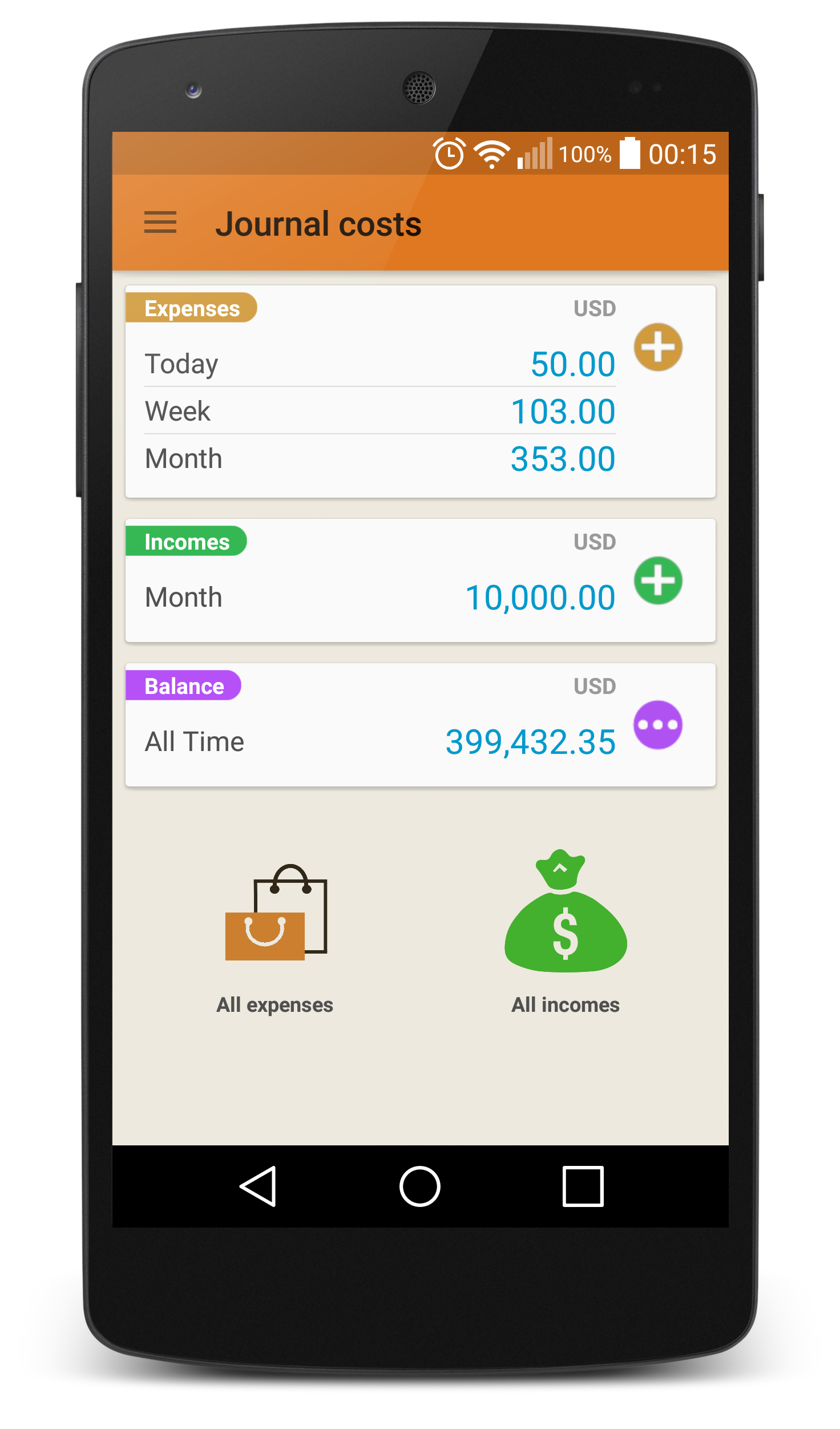
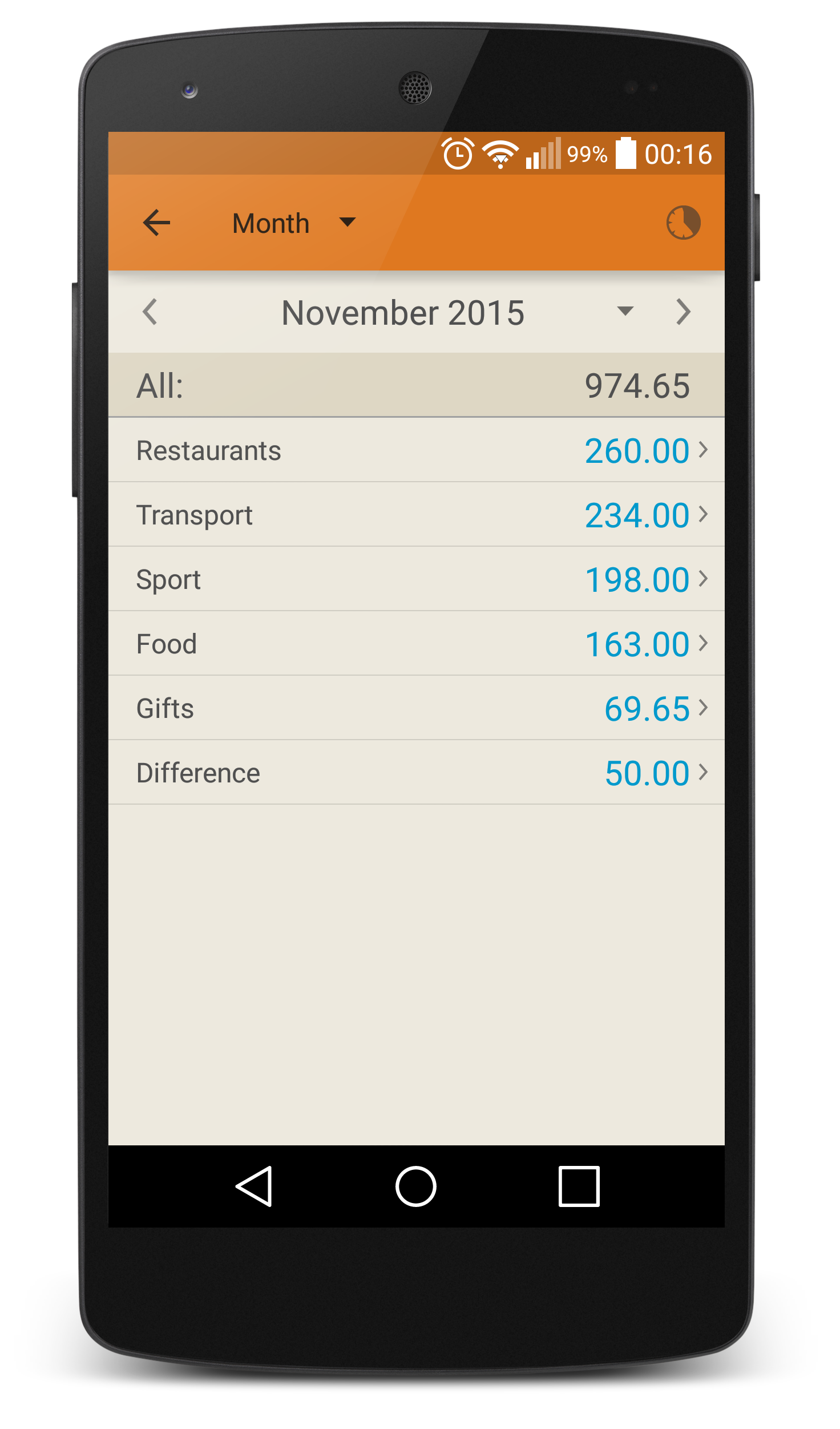
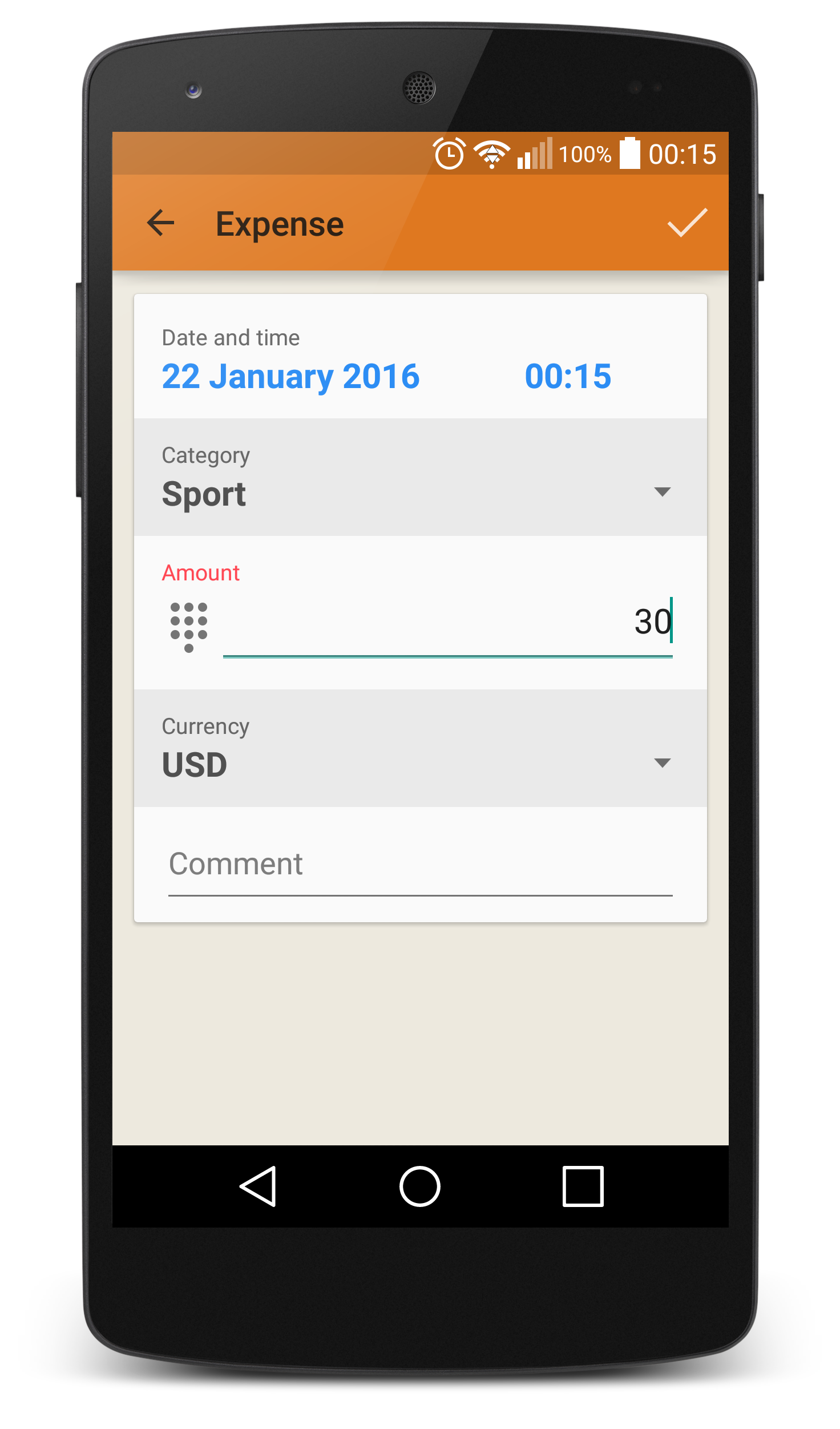
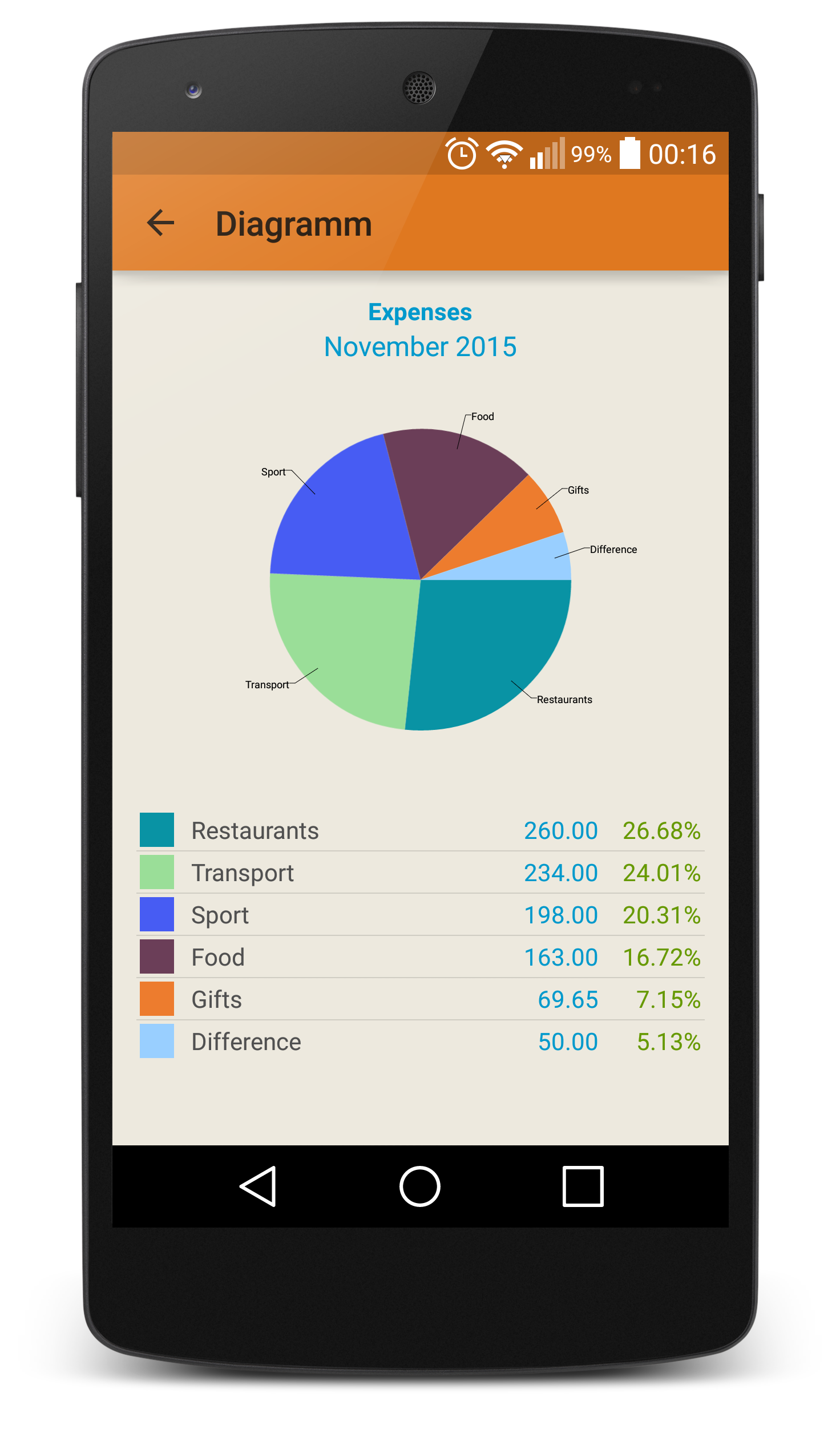
Background
There is an Android application with over 1,000,000 downloads, but the market rating has started to decline, the design already looks somewhat outdated, and users have been asking for an iOS version of the application
Design Process
Discovery
Research
Design & Test
Prepare & Validate



Market Reviews
Goal: to assess the quality of the current application interface and identify user pain points and benefits. For this purpose, 100 recent reviews on the Play Market were analyzed.

- simplicity and convenience
- prompt feedback
- flexible category customization
- ability to create multiple accounts
- adding expenses by scanning a receipt


Simple, minimalist,
has everything needed, very satisfied.
has everything needed, very satisfied.
How to lend money? And then how to settle this debt?
There is no section titled 'Debts.' And there is no column to return a debt.
- Where is the calculator?
- When transferring money to another account, it's not clear if they were transferred because there is no information in the statistics.
- Unable to create a backup
- Cannot find their country's currency by code
- Unable to mark debt in the app
- Advertisements
Discovery
Competitor Reviews Analysis
Goal: To identify the strengths and weaknesses of competitors and determine market expectations
This will help identify competitors' best practices and mistakes to develop a more competitive product
This will help identify competitors' best practices and mistakes to develop a more competitive product
You can track in detail (milk, eggs, cottage cheese...), you can create a category "food" for this, or you can create only 2 categories: "mandatory" and "optional" expenses.

cottage cheese
Literature Review
Goal: To look at all financial tools and advice from the perspective of an ordinary person (from simple tracking to analyze their budget to smart planning)
greens
eggs
buckwheat
milk
rice
Non-Essential Expenses
Essential Expenses
Research
Value Proposition Canvas
Goal: With a large list of reviews and notes, it is necessary to understand which aspects are key for users according to their needs
This artifact was chosen because it allows determining which feature addition will have the greatest impact on users. Despite the fact that this artifact belongs to quantitative methods, and I did not have the opportunity to find enough users (only 8 people), I still chose the Kano method for the sake of practice ✨. However, to make the results more relevant, I tried to find the most targeted people from my environment who have experience in budget tracking. At this stage, I also involved a developer to evaluate the features based on the time spent on development.
Kano Method
Goal: prioritization
of features
of features
Building a safety net. Show how much needs to be saved based on current expenses
0%
12%
88%
0%
0%
0%
0%
12%
76%
0%
0%
12%
Entering fixed expenses with one touch, for example, internet fees, phone bills, subscriptions
Setting spending limits
0%
12%
50%
26%
12%
0%
Budget planning
0%
Perfomance
Attractive
Indifferent
0%
Reverse
Questionable
Must be
Approximately 40% considered this feature INDIFFERENT and REVERSE, which shows the insignificance of this function
88%

12%
0%
Approximately 40% considered this feature INDIFFERENT and REVERSE, which shows the insignificance of this function
0%
If you want to save up for something, the app shows approximately how long it will take you to save up based on your expenses for previous months
0%
0%
76%
12%
12%
0%
Attractive
Attractive
Attractive
Attractive
Attractive
Receiving tips and motivational messages once a month
0%
0%
0%
38%
24%
38%
Receipt scanning with the ability to choose spending categories
0%
12%
64%
12%
0%
0%
0%
0%
Running a business
0%
36%
64%
0%
0%
Most likely because most respondents did not have a business, but since there is information from comments about the need for the feature, it was decided to raise this feature slightly higher
0%
Displaying the spending ratio for each month to understand which month is the most costly
Most likely because most respondents did not have a business, but since there is information from comments about the need for the feature, it was decided to raise this feature slightly higher
24%
76%
0%
0%
Attractive
Reverse
Attractive
Indifferent
Questionable
Building a safety net. Show how much needs to be saved based on current expenses
0%
12%
0%
0%
0%
88%
0%
0%
12%
0%
12%
76%
Entering fixed expenses with one touch, for example, internet fees, phone bills, subscriptions
Setting spending limits
50%
26%
12%
12%
12%
0%
Budget planning
0%
0%
88%
12%
0%
0%
If you want to save up for something, the app shows approximately how long it will take you to save up based on your expenses for previous months
0%
0%
76%
12%
12%
0%
Attractive
Attractive
Perfomance
Attractive
Attractive
Indifferent
Reverse
Attractive
Questionable
Must be
Approximately 40% considered this feature INDIFFERENT and REVERSE, which shows the insignificance of this function
Perfomance
Attractive
Indifferent
Reverse
Questionable
Must be
Attractive
Perfomance
Attractive
Indifferent
Reverse
Questionable
Must be
Perfomance
Attractive
Indifferent
Reverse
Questionable
Must be
Perfomance
Attractive
Indifferent
Reverse
Questionable
Must be
Reverse
Attractive
Most likely because most respondents did not have a business, but since there is information from comments about the need for the feature, it was decided to raise this feature slightly higher
Displaying the spending ratio for each month to understand which month is the most costly
Indifferent
0%
0%
Questionable
76%
24%
0%
0%
Perfomance
Attractive
Indifferent
Reverse
Questionable
Must be
Attractive
Must be
Questionable
Reverse
Indifferent
Attractive
Perfomance
0%
64%
36%
0%
0%
0%
Running a business
Must be
Questionable
Reverse
Indifferent
Attractive
Perfomance
0%
0%
12%
64%
12%
0%
Receipt scanning with the ability to choose spending categories
Must be
Questionable
Reverse
Indifferent
Attractive
Perfomance
38%
24%
38%
0%
0%
0%
Receiving tips and motivational messages once a month
01
Building a safety net. Show how much needs to be saved based on current expenses
02
Budget planning
03
Receipt scanning with the ability to choose spending categories
04
If you want to save up for something, the app shows approximately how long it will take you to save up based on your expenses for previous months
Having an understanding of user needs and desires, I moved on to creating the information architecture, using the existing application architecture and card sorting
Information Architecture and Card Sorting
Goal: Define information hierarchy and improve content understanding, Card sorting will further enhance understanding of users and organize content
List of All Debts
Lend/Borrow Money
Debts
Savings
Income
Expense
List of All Savings
Save Money
Create Savings
Accounts
Settings
Income and Expense Statistics
Export Statistics to Excel
Budget Plan
Budget Analysis
Lend Money
Make Transfer from
Account to Account
Account to Account
Expense Categories
Add Expense via
Receipt Scanning
Receipt Scanning
Fixed Expenses
Statistics
Take Loan
Make Transfer from
Account to Account
Account to Account
Income Categories
Main Page
However, I referred back to previous research; for example, many users mentioned in the reviews that they couldn't find debts. Consequently, during the card sorting process and analysis, I paid special attention to such points 👌


I chose a hybrid method.
I believe it's user-friendly as it already contains the structure of the application, yet it maintains a creative approach, engaging users more in the process, which can lead to new and unexpected solutions
I believe it's user-friendly as it already contains the structure of the application, yet it maintains a creative approach, engaging users more in the process, which can lead to new and unexpected solutions

But I had a challenge.
I didn't have access to a large number of users, so I applied this artifact to a small sample
I didn't have access to a large number of users, so I applied this artifact to a small sample
Design
Before moving on to creating the visual design, I go through several iterations of creating wireframes, discussing them with the developer to identify potential issues and refine requirements. Discussing wireframes with the developer helps to identify potential technical constraints and make adjustments at early stages of the project
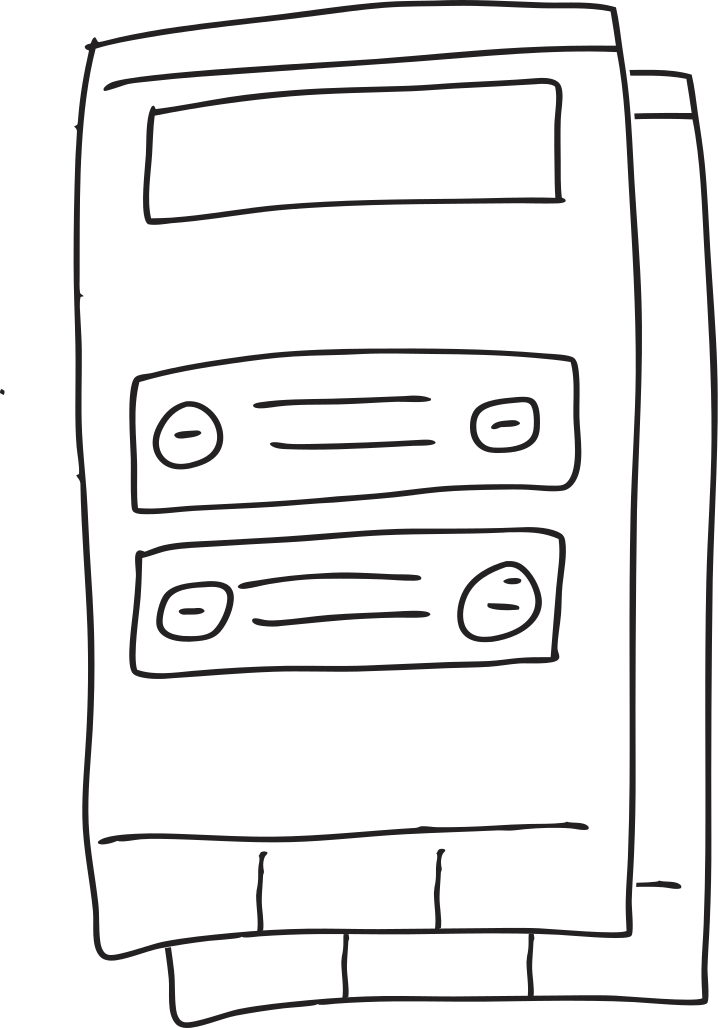
Wireframes

Discussing with the developer
Here you can see the most frequently used category. So in most cases, you just need to enter the expense amount and click "Save"
Quick Record
Less frequently used categories, for example, come after the "Groceries" category here
Here you can see the most frequently used category. So in most cases, you just need to enter the expense amount and click "Save"
Less frequently used categories, for example, come after the "Groceries" category here
Preliminary Design Solutions
Based on the literature studied and the desire for simplicity in usage, I have decided to offer users 2 categories: essential (rent, groceries, public transportation...) and non-essential (entertainment, cosmetics, movies...). Everyone's understanding of these categories can be unique and depend on the month and situation. This is especially relevant for new users who just want to establish a habit of planning and for experienced users who found it difficult to keep track.
Ready categories
Also, let's not forget about the standard types of categories, referred to here as the "Detailed version". We are accustomed to evaluating our expenses like this: we spent more on groceries this month, and here we bought many gifts...
Based on the literature studied and the desire for simplicity in usage, I have decided to offer users 2 categories: essential (rent, groceries, public transportation...) and non-essential (entertainment, cosmetics, movies...). Everyone's understanding of these categories can be unique and depend on the month and situation. This is especially relevant for new users who just want to establish a habit of planning and for experienced users who found it difficult to keep track.
Also, let's not forget about the standard types of categories, referred to here as the "Detailed version". We are accustomed to evaluating our expenses like this: we spent more on groceries this month, and here we bought many gifts...
Simplified Budgeting
Continuing the topic of categories, I'll clarify that essential expenses and non-essential expenses are applied throughout the application. For instance, when planning a budget, users will need to categorize their expenses into essential and non-essential to determine how much goes towards essential expenses versus additional ones. This will help in future planning for major purchases and saving for the future
Such an approach simplifies budget analysis, as we work with two primary categories, adjusting as needed into more detailed subcategories
without the need for calculations
You just need to choose how many months you want to save for your rainy day fund
The app calculates automatically if there is enough statistical data
The app calculates automatically if there is enough statistical data
You just need to choose how many months you want to save for your rainy day fund
empty windows are created on one Page
There will be many empty windows in the application at the beginning, this should not confuse the user. Also, they should be in a unified style, both visually and in terms of text, for easy perception. Therefore, all empty windows are created on one Page in Figma
Heuristic Evaluation
Goal: Identifying interface issues before app release to improve user experience and reduce development costs
I decided not to use a ready-made list of heuristics, as they do not cover all interface problems
I selected those needed for my purposes, customized heuristics
I evaluated the design using them, and immediately corrected any errors that could negatively impact product usage
Testing
- Adding an expense together with creating a new category
- Repayment of debt in another currency
- Creating a budget plan
- Statistics window when analyzing the difference between expenses and income and determining the least necessary expenses, regarding the invented example and personal preferences
Tested:

Visual Representation of Category Structure
Final Touches
View Income History for Better Planning
retrospective
Optimizing Collaboration with Developers
Regular small meetings and discussions with developers proved effective in ensuring clear understanding of tasks and their priorities. Moving forward, increasing the frequency of these meetings will help to promptly address emerging issues and improve collaborative planning.
Early Adoption of Scrum
Regular small meetings and discussions with developers proved effective in ensuring clear understanding of tasks and their priorities. Moving forward, increasing the frequency of these meetings will help to promptly address emerging issues and improve collaborative planning.
Justifying Decisions with Research
Throughout the project, it became clear that effectively justifying the need for new features to developers requires reliance on research findings. This approach helps build trust in the design process and demonstrates that each innovation is based on data and user needs.
Enhancing Communication Efficiency
Comments in Figma proved to be an insufficient tool for team communication. The optimal solution was to use discussions and task assignments in Jira, which provided a more structured approach to communication and improved progress tracking.
I really like it 😍😍😍
I tried starting to track my income and expenses several times, but I kept giving up because I didn’t record my expenses right away. Receipts would pile up, and by the evening, I didn’t have the time or energy for it. But here, they suggested choosing only two categories: essential and non-essential. It’s incredibly convenient! I’ve been recording everything immediately for a week now, and I really like it.
★★★★★
I like that there is a ready list of spending categories at the beginning, I took those as a base and then just added categories as needed
Great!
★★★★★
The grouping of expenses and income is something I was missing in other apps. Now all my expenses and income are clearly presented and I can easily manage my finances
Awesome app
★★★★★
Great app. Simple and convenient! I used it on Android and now I've transferred everything to iOS. Highly recommend!
Great app
★★★★★
The app is incredibly useful! I can add as many categories and accounts as needed. It also has a currency converter which is great if you work abroad and receive salary in a foreign currency.
Easy and convenient to use
★★★★★